How to Hit the Echo Prompt and Wake Up Animals
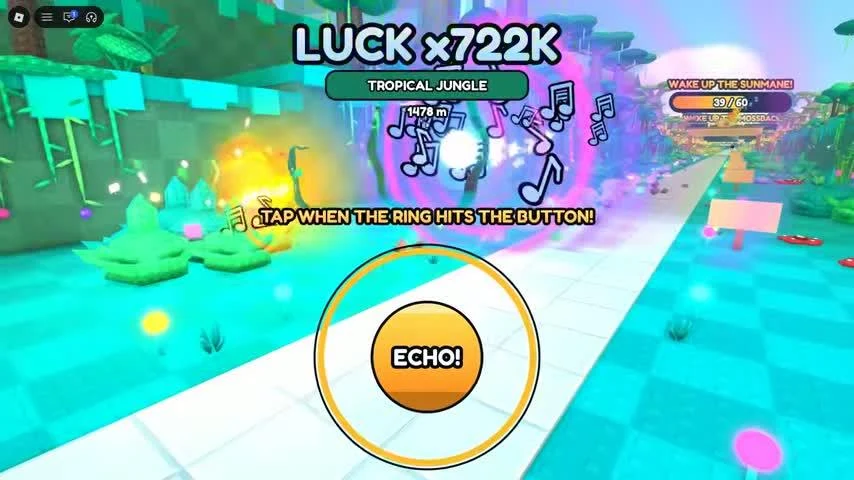
Play your instrument to send sound down the lane, then press the ECHO button right as the shrinking outer circle aligns with the inner circle.
Hitting the Echo Circle Prompt
When you begin a run, your sound wave travels down the lane through areas like Green Meadow. During the travel phase, an interactive prompt appears on screen to help push your sound further.
- Start playing your equipped instrument to launch a sound wave down the lane.
- Watch for the ECHO button to appear inside a static circle while a larger ring shrinks toward it.
- Click or tap ECHO at the exact moment the shrinking circle matches the inner circle border.
Understanding Your Animal Roll Results
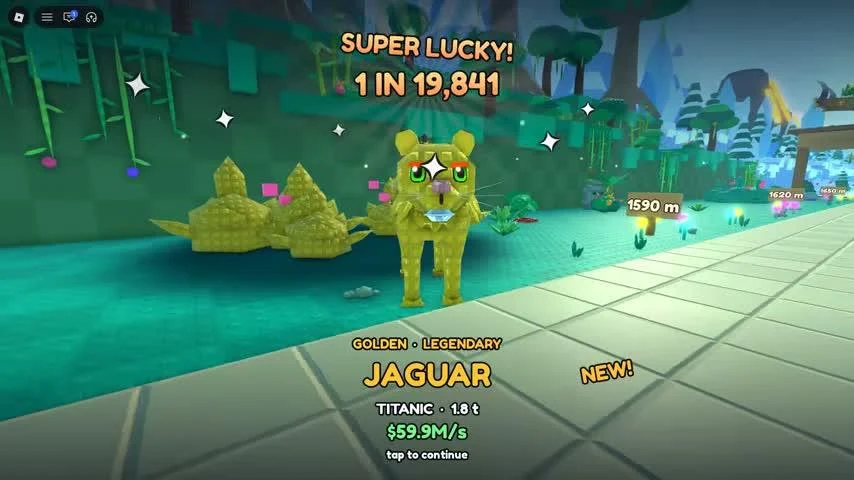
Once your sound wave stops, it wakes up an animal and displays a result screen. The game features over 41 animals spread across 8 zones, including rare, secret, and rainbow variants.
The result popup breaks down four key stats for your catch: the animal name (such as Jaguar), the zone distance reached, the rarity tier, and the cash earnings per second that the animal provides. Keep in mind that active luck boosts heavily influence rarity outcomes, so standard rolls will vary based on your current upgrades.